
Your invoice is issued automatically after each purchase. How to access it depends on the product.
Lychee Slicer (Plus / Library)
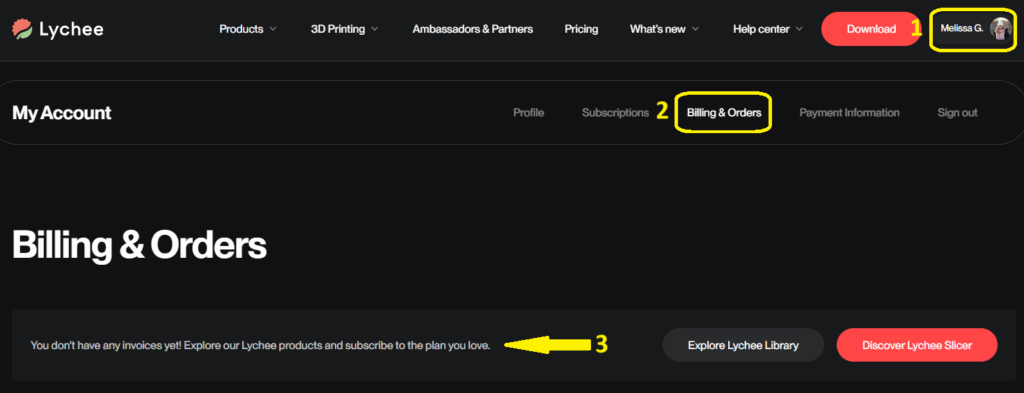
You can download your invoices directly from your account:
- Log in to your Lychee account.
- Go to the Billing & Orders section.
- Find the invoice you need in the list and click Download.
Lychee Gen
Lychee Gen invoices are not yet available for download from your account. To get a copy, contact our support team with the email address linked to your account and the date of the payment, and we will send it to you.
Adding details to your invoice
Invoices are generated using the details provided at registration. If you need additional information to appear — such as a company name, address, or VAT number — contact our support team and we will update it for you.