
If the Lychee Slicer window is partially cut off, the top, bottom, or sides are outside your screen and you can't move the window back into view, the cause is usually a conflict with your system's display scaling settings.
Fix: ignore system scaling
- Open Lychee Slicer.
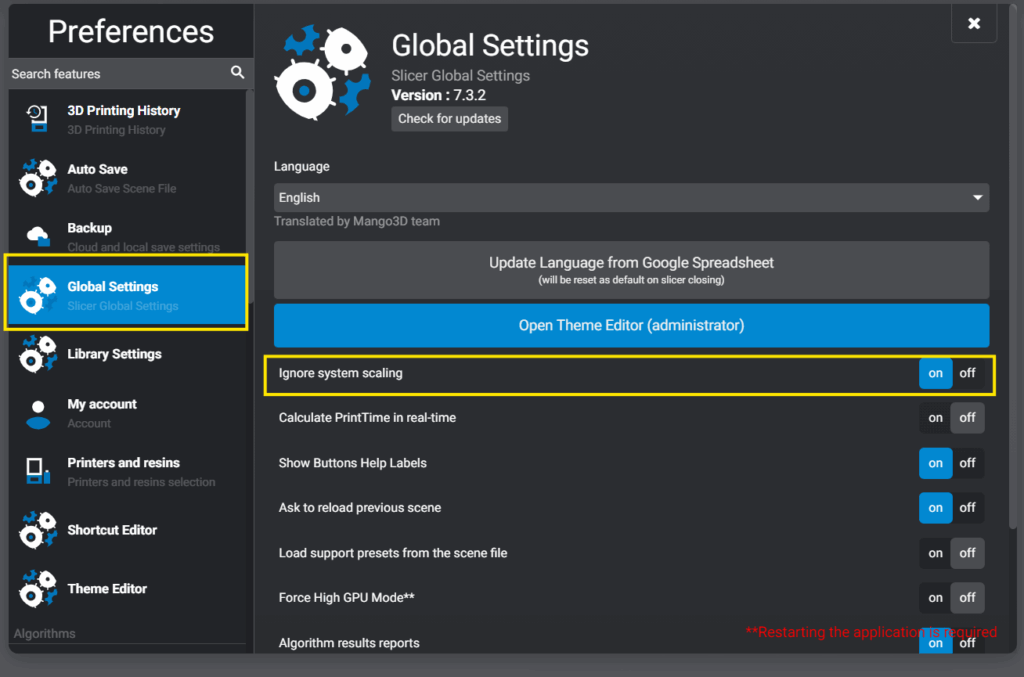
- Go to File > Preferences > Global Settings.
- Enable Ignore system scaling.
- Restart Lychee Slicer.
After restarting, the window should display correctly.
Still having trouble?
If the issue persists, contact our support team with:
- Your operating system and version
- Your screen resolution and scaling settings
- A screenshot of the issue