
The steps depend on which product your discount code applies to.
Lychee Slicer (Plus / Library)
- If you don't already have an account, start by creating one.
- Log in and go to the Subscription section.
- Select the plan your code applies to — Lychee Plus or Library, monthly or yearly. If your code covers 3 or 6 months, choose the monthly plan.
- Enter your code in the coupon field and click Apply.
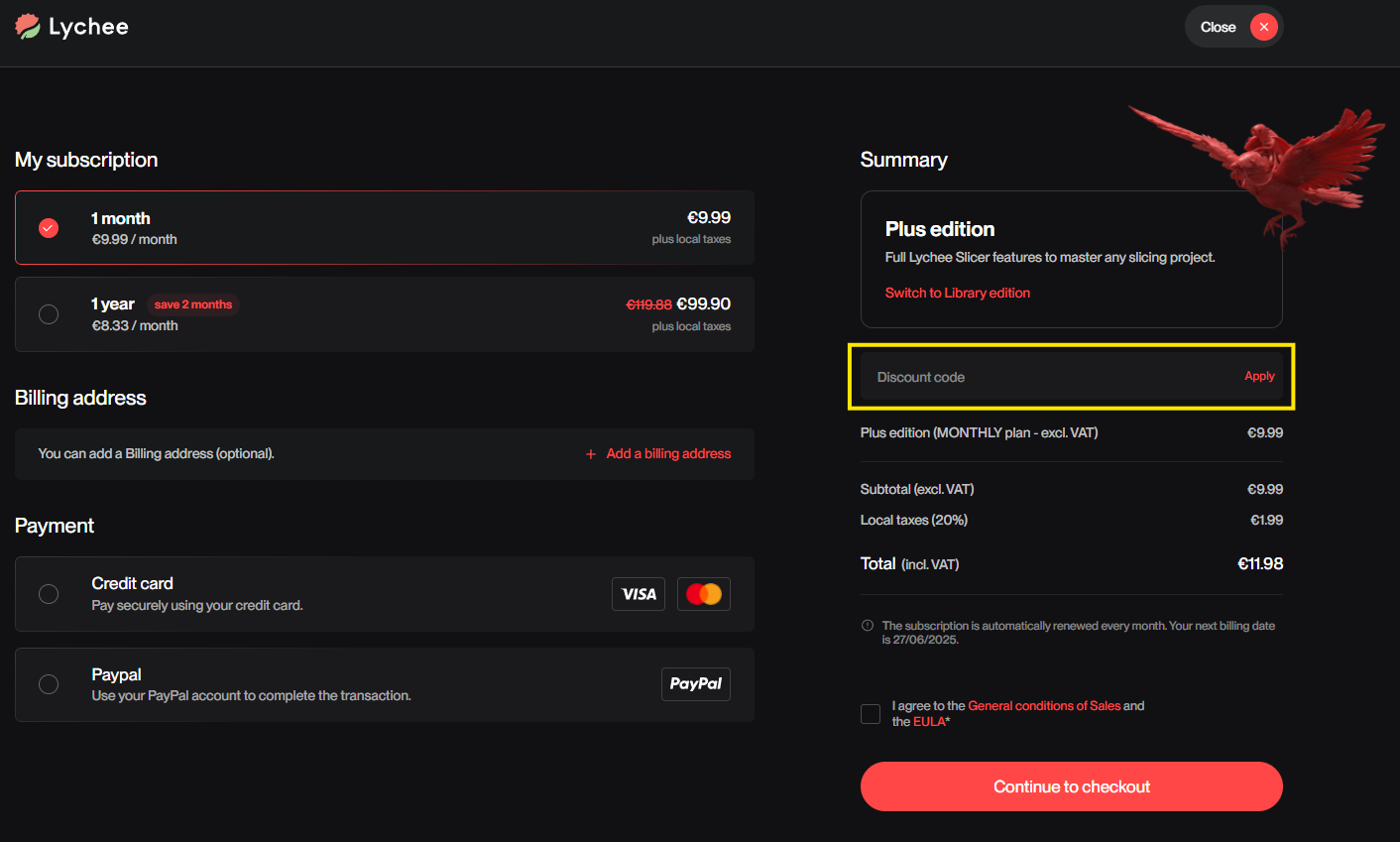
If you applied a monthly coupon, you will receive a 0€ invoice each month for the duration of the coupon period — this is normal.
Lychee Gen
- Choose your plan and proceed to the payment page.
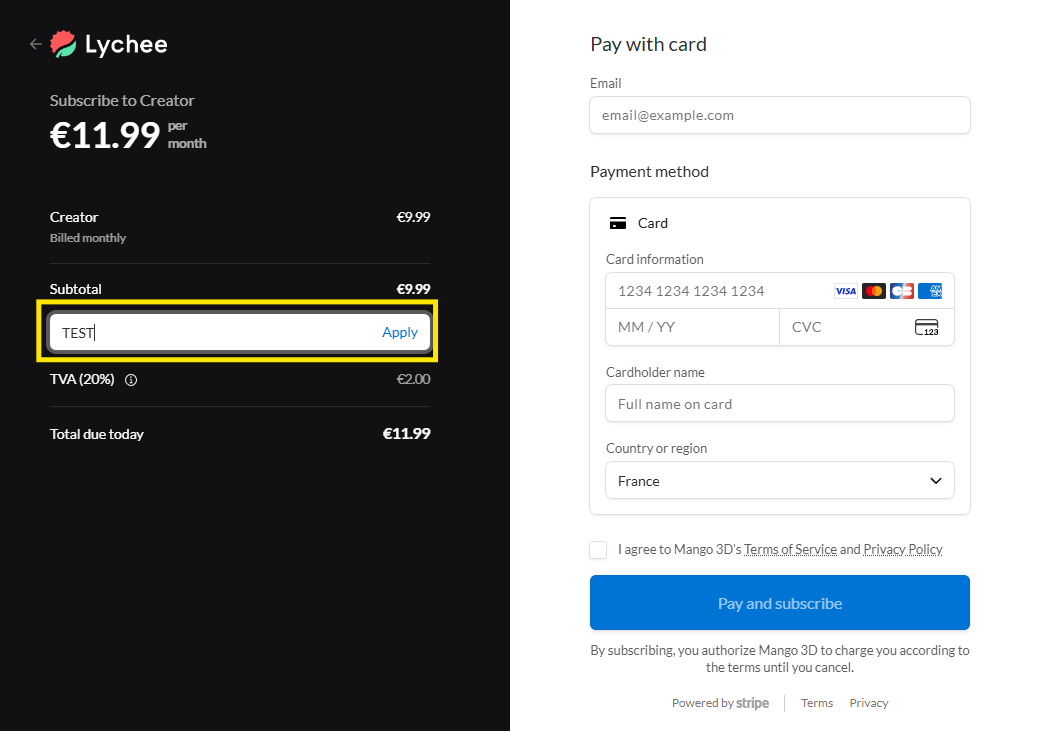
- Click Add promotion code, located below the subtotal.
- Type your code in the text box and click Apply.
- Once the discount is applied, complete your payment as usual.
If your code doesn't work
- Make sure there is no extra space before or after the code — this is the most common cause.
- Check that the plan you selected matches what the code applies to (product and billing period).
- If it still doesn't work, contact our support team with a screenshot of the page showing the error.